- Product
Getting started
- Solutions
By role
See other roles
By objective
Show more use cases
- Templates
- Resources
Get inspired
- Why online surveys
- Case studies
- Use cases
- Testimonials
- Blog
- Pricing
- Contact Sales
- Languages
Release notes
Updates, fixes, and improvements in Survio for maximum app performance, feature functionality, and survey efficiency.
January 5, 2026
Let Emojis Do the Talking
What’s new
Let your respondents express themselves without typing a single word. Our new Emoji Rating question lets them share their feelings instantly. Choosing from 2 to 5 emojis instead of searching for the right words or numbers. It's the fastest way to capture authentic sentiment, especially when your audience is on the go.
What you can do
- Customize your scale – Choose the emojis that match your question and arrange them from positive to negative (or reverse the order to suit your needs)
- Control response requirements – Make the question mandatory when feedback is critical, or keep it optional for casual pulse checks
- Match your brand colors – Apply your survey theme's colors or use an intuitive green-to-red gradient that aligns with your emoji sequence
- Analyze with ease – Every emoji automatically converts to a numeric value in your results, so you can create charts, apply filters, and spot trends just like any other question type
Why your respondents will love it
Emojis remove friction. Your audience can tap their reaction in a split second—no thinking, no typing, just an instant gut response. This is especially powerful on mobile devices, where every extra keystroke is a barrier. You'll see higher completion rates and more genuine feedback because responding feels effortless and even fun.
Why you will love it
Get clearer sentiment data faster. Emoji ratings capture the emotional tone that text-based questions sometimes miss, while giving you clean, quantifiable data you can actually measure. Whether you're gauging customer satisfaction, event reactions, or employee morale, you now have a visual, engaging way to collect feedback that people actually enjoy answering.
How to use it
- Open your survey editor and select Add Question → Emoji Rating
- Choose your emoji scale length (2–5 emojis)
- Pick which emojis to display and arrange their order
- Select your color style and label your scale endpoints
- Decide whether to make the question required or optional
Start adding Emoji Rating questions to your surveys today and watch your response rates climb.
October 01, 2025
Collaborate with your team
What’s new
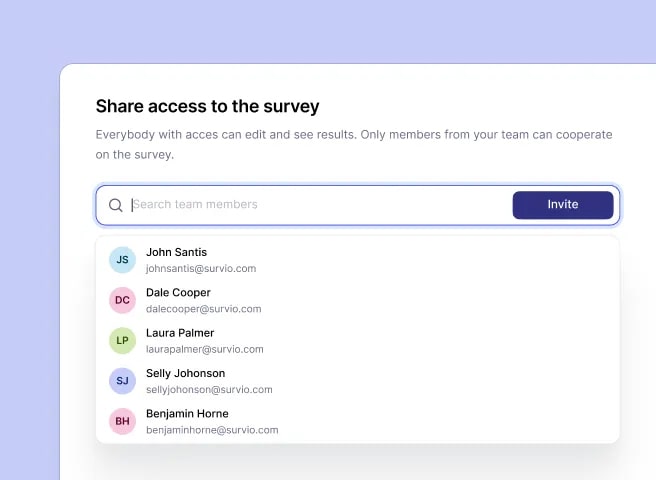
You can now collaborate with your team directly in Survio. Share surveys with colleagues, edit them together, and review results side by side. Invite your whole team! Whether they just need visibility into data collection and insights, or want to actively contribute throughout the process, this new feature makes it possible.
What it does
- Lets you share access to surveys with your teammates.
- Provides access management so you stay in control of who can collaborate.
- Enables your team to edit and collaborate on surveys together.
- Allows your team to view and analyze your survey results.
Why it matters
Working together means faster edits, fewer silos, and insights everyone can act on. This feature turns survey creation and analysis into a truly collaborative effort, making it easier for teams to reach decisions backed by data.
How to use it
- Open a survey and click the Share button.
- Select team members you want to give access to.
- Once shared, they can edit the survey and review results alongside you.
August 29, 2025
AI-powered Survey Rephrasing
What’s new
At Survio, we are constantly improving our platform by developing new AI features to make survey creation smarter, faster, and more effective. Our mission is to provide you with the best tools to collect high-quality data, gain valuable insights, and ultimately grow your business through customer feedback.
With that in mind, we’re introducing AI-powered Survey Rephrasing.
What it does
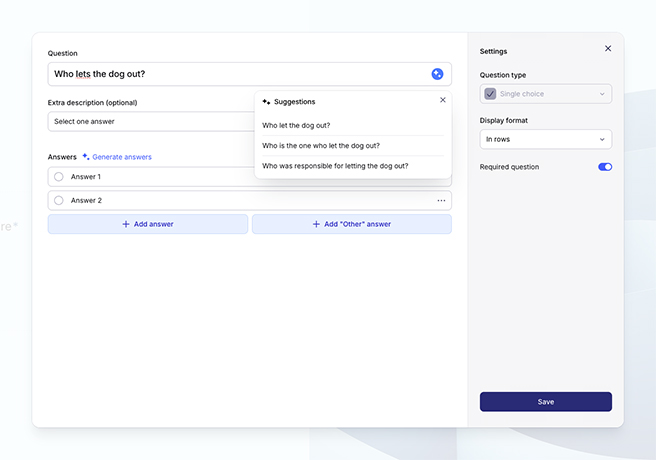
- Suggests improved wording for your survey questions.
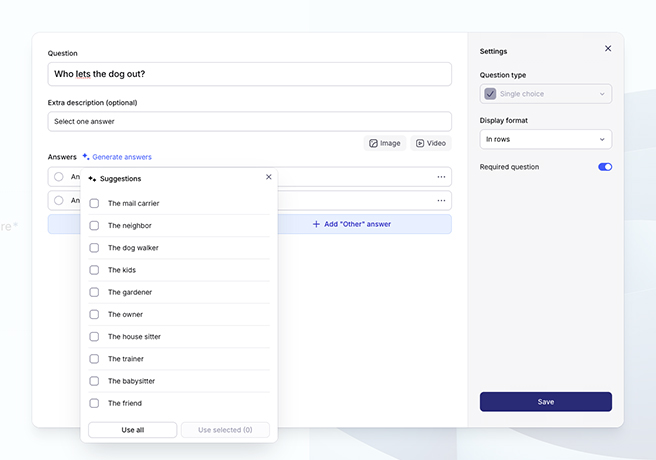
- Provides optimized answer options.
- Generates recommended answer sets that best match your question type.
Why it matters
Well-phrased surveys lead to higher response rates and more reliable data. This feature helps you create professional surveys faster and ensures you collect the insights you need.
How to use it
When creating or editing a survey question, simply click on “Rephrase with AI” to see alternative phrasing and suggested answers.
August 29, 2025
Survio AI Chatbot
What’s new
At Survio, we’ve always cared deeply about our customers and have been recognized for providing quick, professional, and friendly support through our Customer Care team. But we want to go even further — to be faster, smarter, and available exactly when you need us.
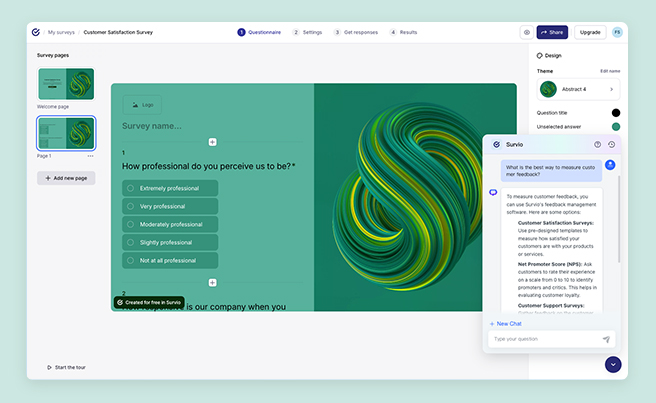
That’s why we developed our very own AI Chatbot, built entirely in-house and trained on real cases by our Customer Care experts. This way, we can provide you with instant, reliable support at any time, without relying on third-party tools. The chatbot is designed to make sure you always get the help you need — right when you need it.
What it does
- Provides instant answers to your questions.
- Trained on real cases by our Customer Care team.
- No third-party integrations — faster, safer, and directly tailored to Survio users.
Why it matters
You can now get reliable, round-the-clock support directly within Survio. The AI chatbot guides you through features, helps troubleshoot common issues, and connects you to additional resources whenever needed.
How to use it
Click on the chatbot icon in the bottom-right corner of your Survio account to start a conversation.
June 3, 2025
Create surveys like a presentation
We’ve enhanced the survey builder to make designing surveys effortless—giving you professional-level control, a seamless user experience, and a polished survey look.
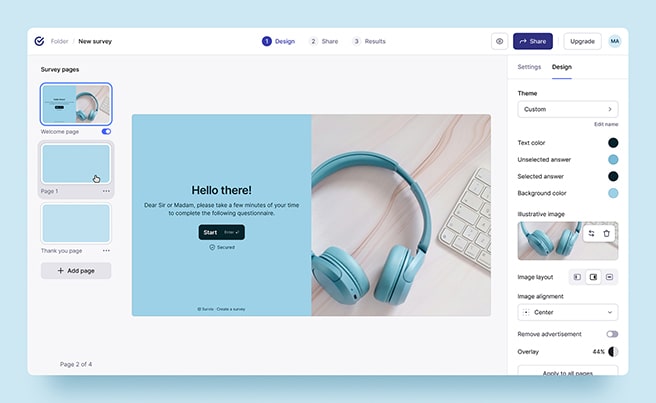
What's new?
- A library of topic-based themes that align with your brand or survey focus for more engaging surveys and deeper insights.
- Presentation-style with slides and previews for better page layout visualization.
- Optimized responsiveness across all devices to maximize response rates.

Default themes remain available. If your surveys use a default theme, their current design will stay unchanged.
Feb 13, 2025
Survio now speaks Ukrainian and Danish

Survio now supports 26 languages. With Ukrainian and Danish as the latest additions, we remain committed to making Survio as accessible as possible to our diverse, multilingual user base. Switch to your preferred language in account settings and effortlessly collect feedback from your audience worldwide.
Oct 10, 2024
New survey logic and question skips
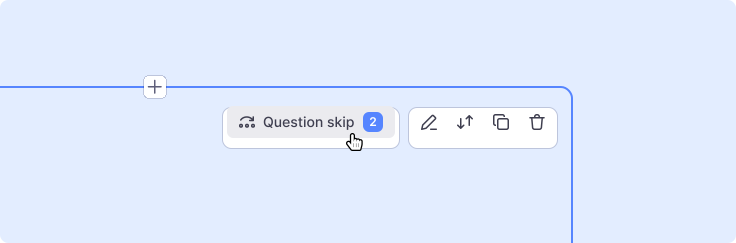
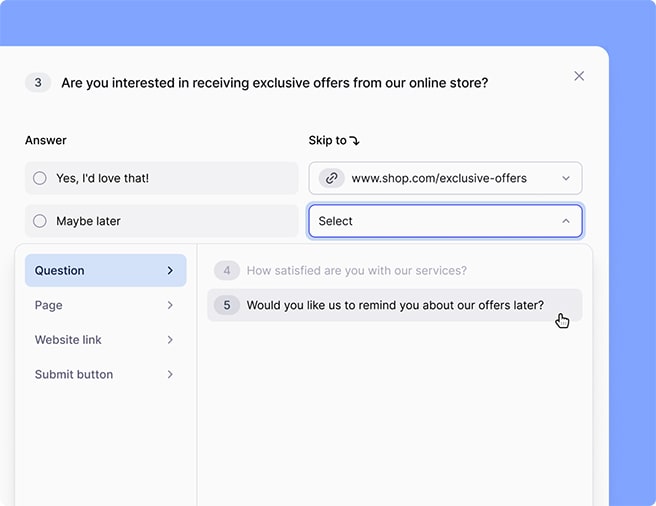
The new survey logic offers a more intuitive edit window for creating question skips. Easily set skip rules for any question you need and collect relevant feedback from the right audience to make informed decisions.
Oct 3, 2024
Improved tracking of survey invitations
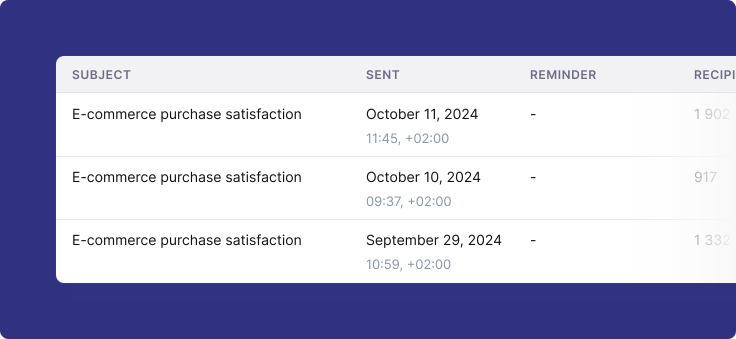
Survio provides daily overviews of e-mail invitations automatically distributed via API. Survey creators can easily track who the invitation was sent to and when, whether it was delivered, opened, or if it already links to a completed questionnaire.
Expanded user profile menu
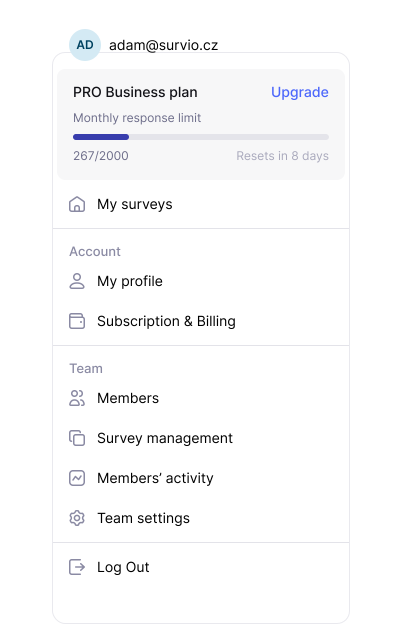
This menu has been redesigned to provide immediate and easy access to the essential user- and account-related items, including team management options and a counter for overall collected responses.
Aug 5, 2024
Survio celebrates 5 million users

We're thrilled that Survio already helps over 5 million users work smarter, make the right decisions, and achieve their goals. That’s quite a motivation for us to constantly improve and innovate. To all our users, thank you for your trust and support.
Jun 27, 2024
Hiding the welcome page
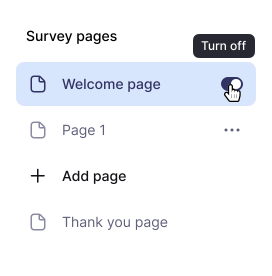
By hiding the survey’s welcome page, you can guide respondents directly to your questions, which will help you get more answers and relevant insights faster. It is ideal for short surveys or to collect instant feedback on your website/e-shop.
May 22, 2024
New survey design and technology
This major upgrade takes Survio to a whole new level, bringing numerous innovations and benefits for survey creators and respondents alike. Let's take a look at the most essential changes that enhance survey attractiveness and usability, and increase the efficiency and security of the entire feedback process.
Refined add question menu
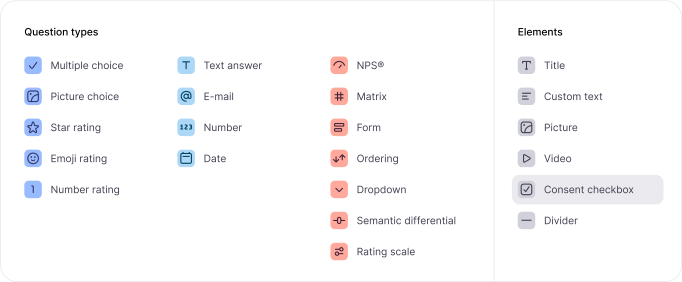
We have organized the add question menu into groups for enhanced clarity. This allows you to easily select question types and visual elements that perfectly fit your surveys’ layout and align well with your research objectives.
New question edit window
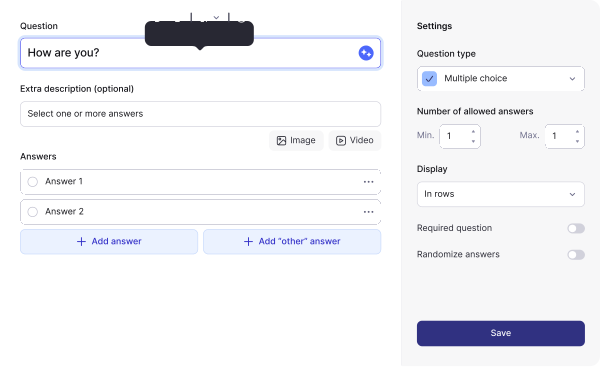
We have redesigned the entire question edit window. The rearranged settings now offers easier navigation, full accessibility and meets the UI needs of both survey beginners and experienced researchers.
Enhanced survey preview
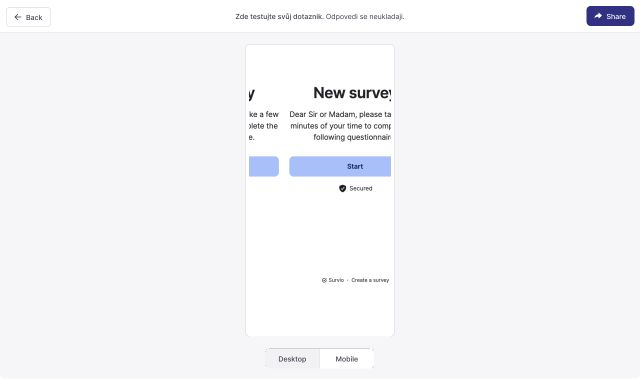
Respondents are increasingly completing surveys on mobile devices, which is why we have added a mobile preview option. This allows you to check your surveys before sharing to make sure they look just the way you need on all devices.
Modern, functional and responsive design
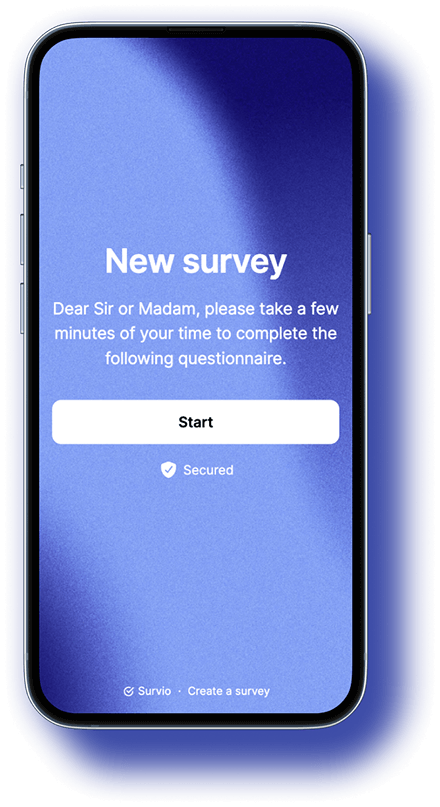
We have enhanced survey responsiveness. As a result, surveys load quickly, look great on all devices, and are easy to fill out. This allows you to collect more answers and get more accurate data for your decision-making or result presentations.
Faster, more stable, and secure Survio
By migrating Survio to the cloud, we’ve been able to speed up processes—creating surveys, displaying surveys, and storing answers—and prevent instability, excessive technology load, system outages, or data processing delays. Robust data encryption ensures maximum security, in full compliance with GDPR and ISO standards.


